🖇 fformat is a desktop app to identify potential file content types by using Google's deep learning model Magika. Built with Tauri, Next.js, TypeScript, Rust, Tailwind CSS, & shadcn/ui.
aidatadesktop-appgooglelinuxmacosmagikanextjsrelease-itrustshadcn-uitailwindcsstanstack-tabletauritypescriptwindows
| .github/workflows | ||
| src | ||
| src-tauri | ||
| .eslintrc.json | ||
| .gitignore | ||
| .release-it.json | ||
| components.json | ||
| demo.gif | ||
| next.config.mjs | ||
| package.json | ||
| pnpm-lock.yaml | ||
| postcss.config.js | ||
| README.md | ||
| tailwind.config.ts | ||
| tsconfig.json | ||


🖇 fformat
A desktop app integrated with Google's deep learning model Magika to detect potential file content types. Can run locally and offline.
Table of Contents
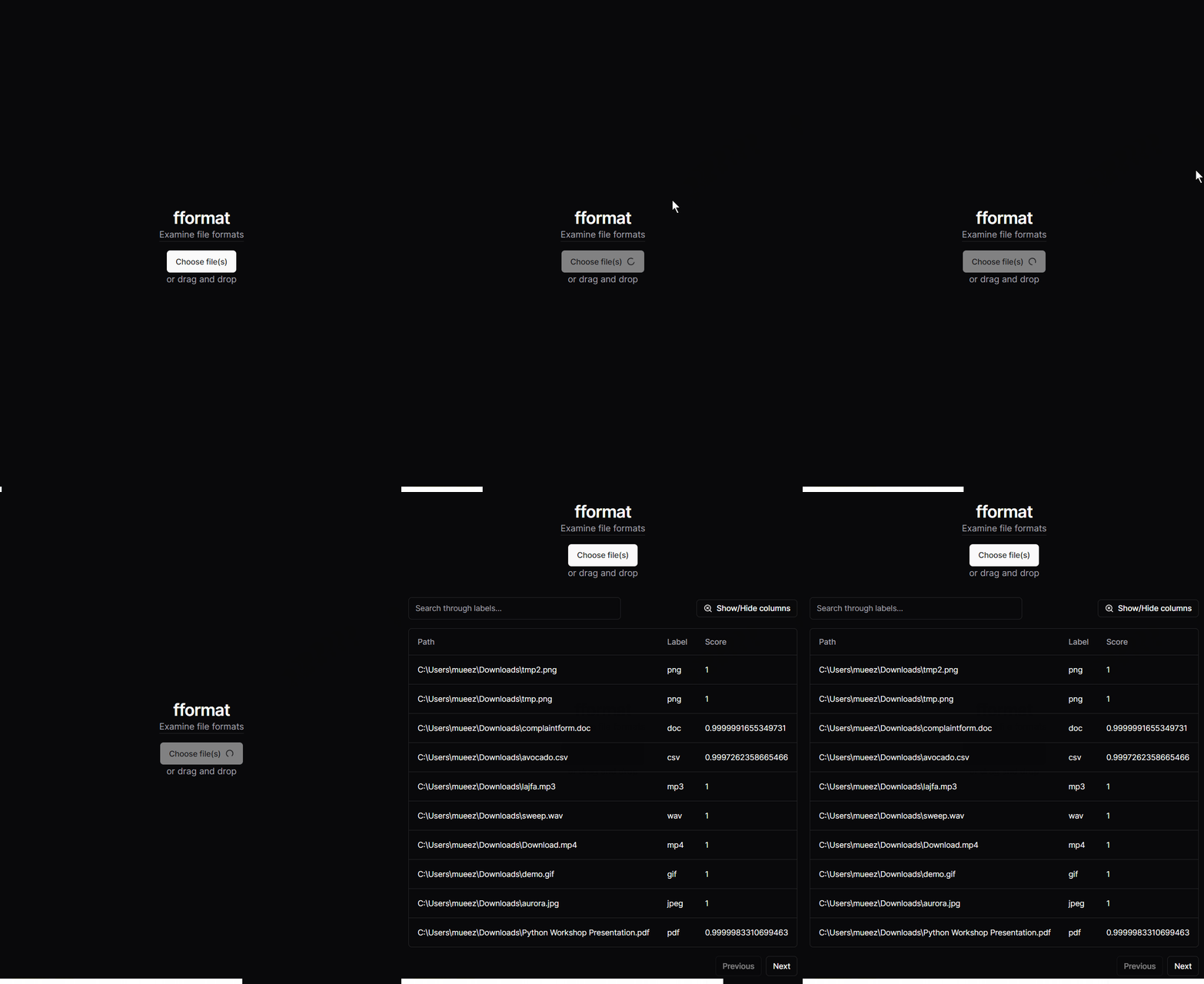
🎬 Demo
✨ Features
- Powered by a deep learning model from Google's Magika team
- Run offline locally: Once you've installed fformat, you may run it without an internet connection.
- Interactive data table: After Magika detects potential file content types for all of your files, you may view more info about the results.
- Organized metadata: Learn about your file's path, potential file content types, and score representing a probability that the file content types is as expected.
- Drag & drop files: Choose between dropping one or more files simply dragging and dropping them into fformat.
- Light & dark themes: Toggle your theme by clicking on the sun and moon icon.
- Low file size: fformat is only a few megabytes.
📚 Tech Stack
- Magika - Deep learning model (using JavaScript browser API) from Google
- Tauri v2 - Desktop/Mobile app framework
- Next.js - Web framework built with React
- TypeScript - Programming language
- Rust - Programming language
- shadcn/ui - UI library
- Tailwind CSS - CSS framework
- release-it - Versioning & package publishing-related automation tool
Other dependencies may be found in package.json & src-tauri/Cargo.toml.
🛠 How to Setup
Download the relevant installer for your system from the releases page, for example using the latest release. Then run the installer and follow the installation steps to install fformat.
🤝 Contributing
Contributions are welcome! If you have any ideas, fixes, or suggestions, please open an issue or submit a pull request.
Some documentation that may be useful include:
Disclaimer
This project is not affiliated with Google.
By using this project you acknowledge the following:
- fformat may display content (e.g., from Magika, links) that does not reflect the views of the project owner.
- fformat may display inaccurate information that seem factual but is not and other false/inaccurate information (e.g., inaccurate file content types from Magika's detection).